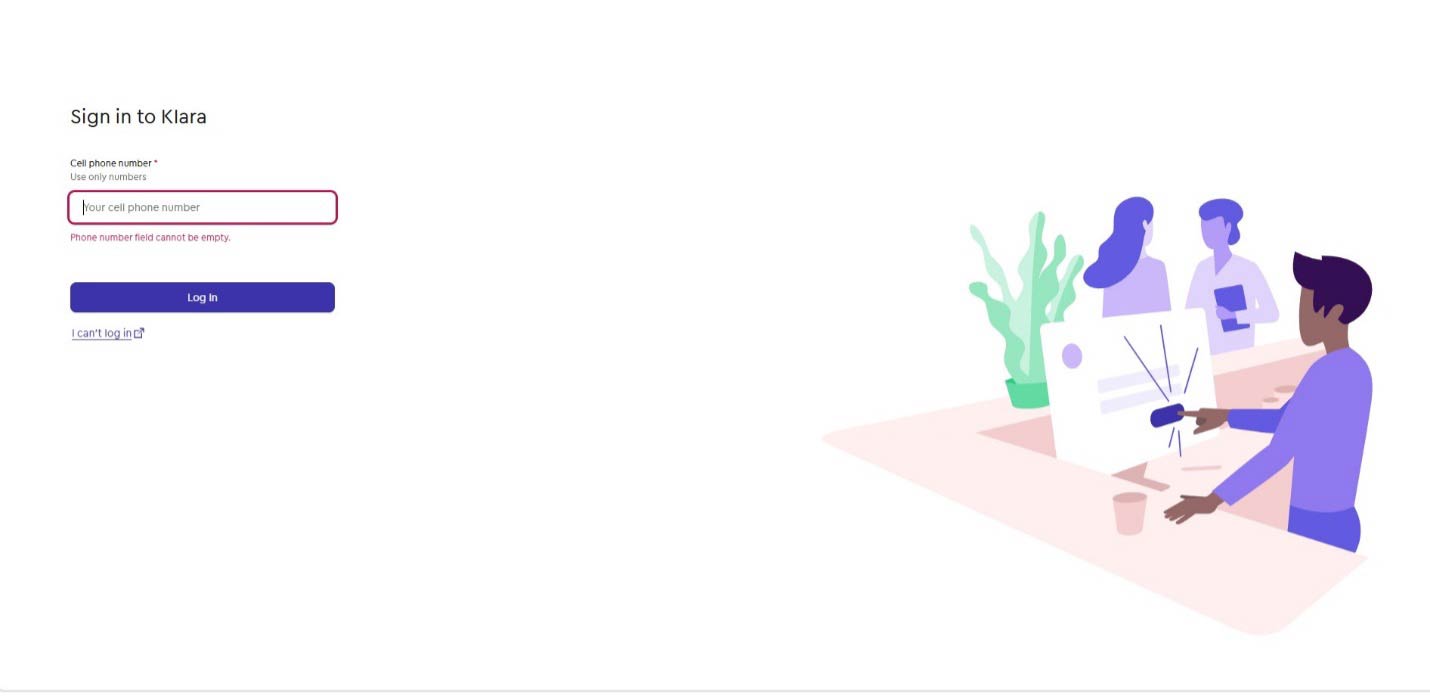
Enter your cell phone number
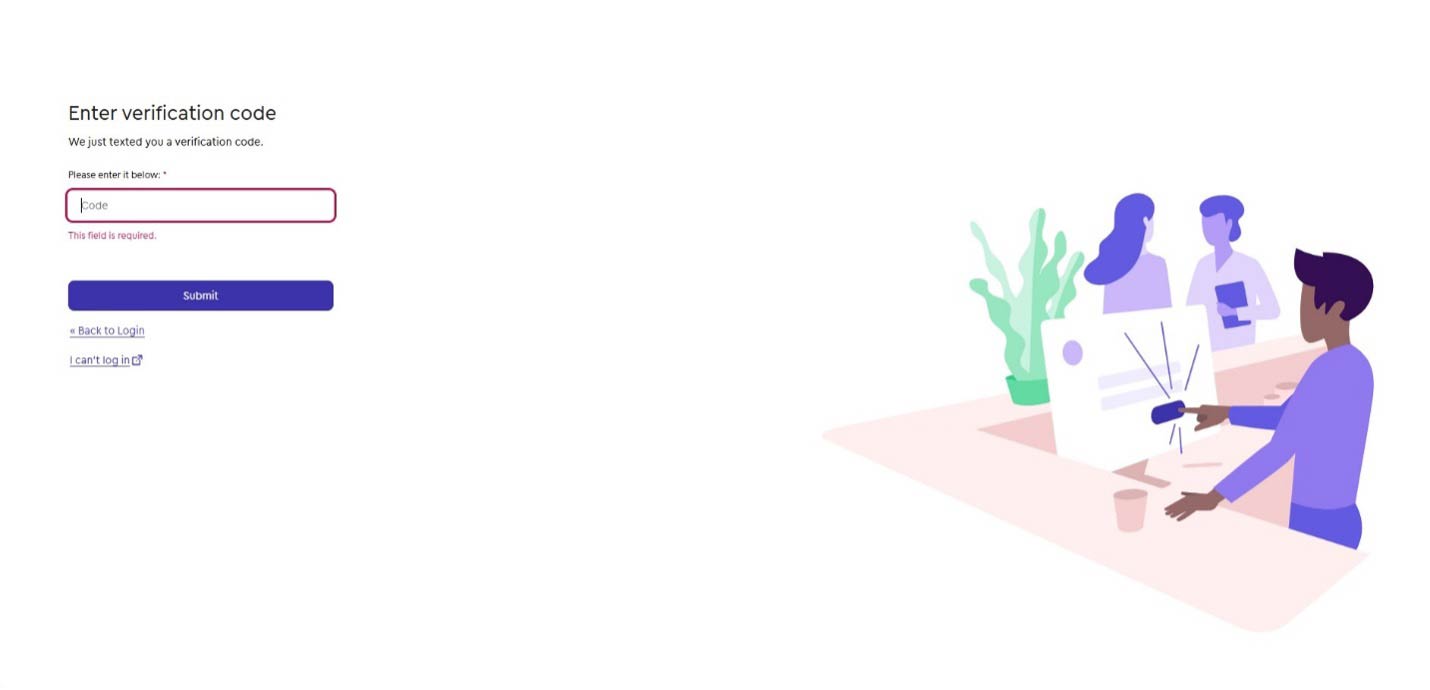
A verification code will be texted to you, enter the code
Step 2:
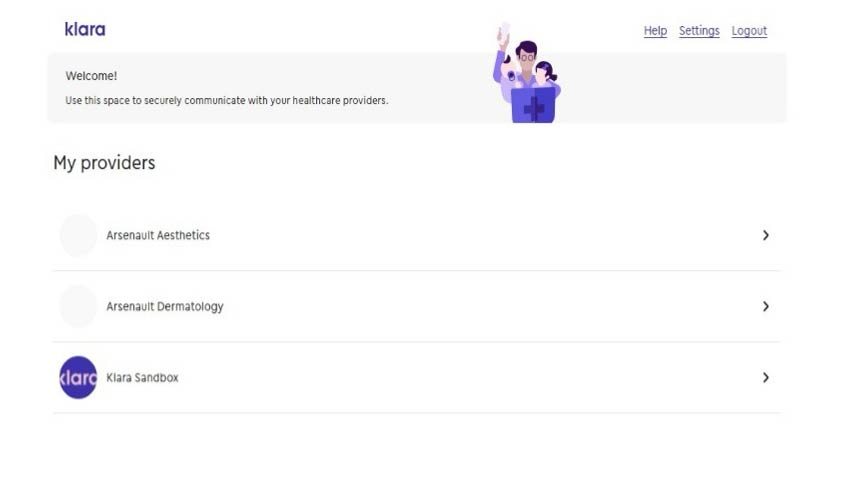
Under “My providers” choose Arsenault Dermatology
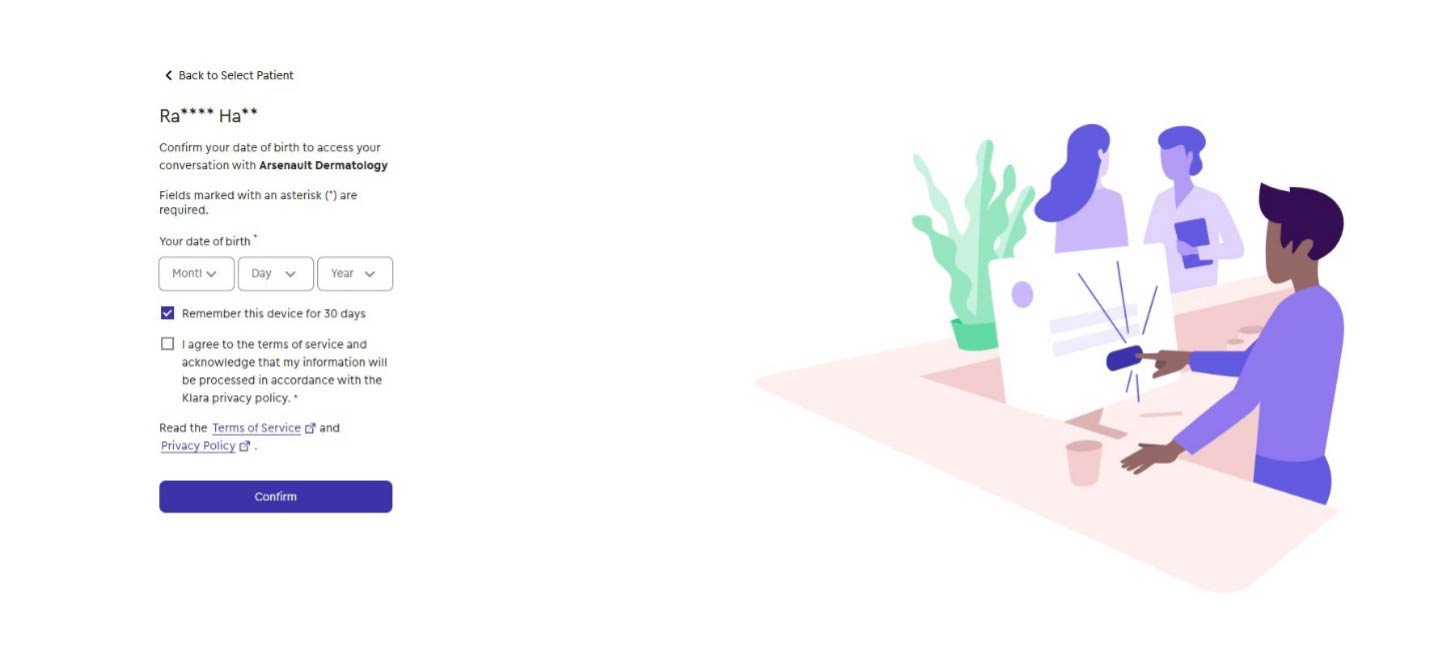
If more than one family member is a patient linked to your cell phone number, select the patient you are trying to review results for and confirm date of birth.
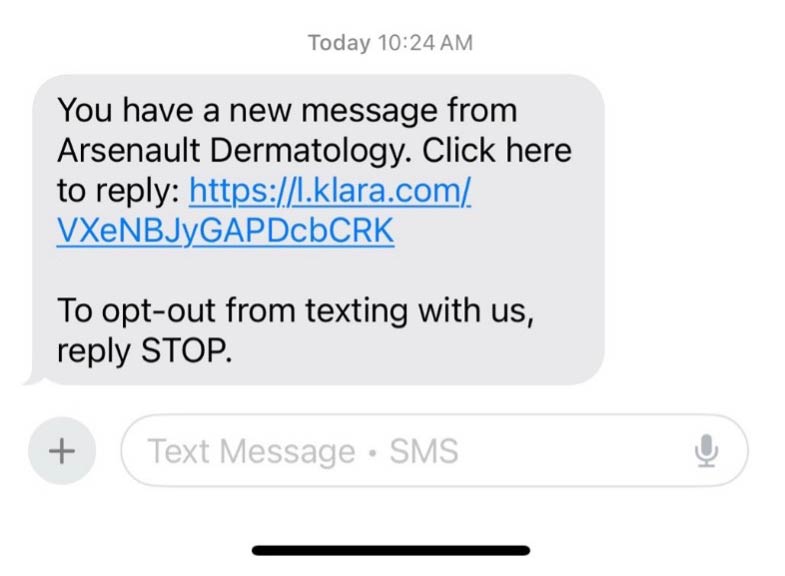
Or, if you received a text, click the link that is texted to your mobile number and follow the same verification prompts.
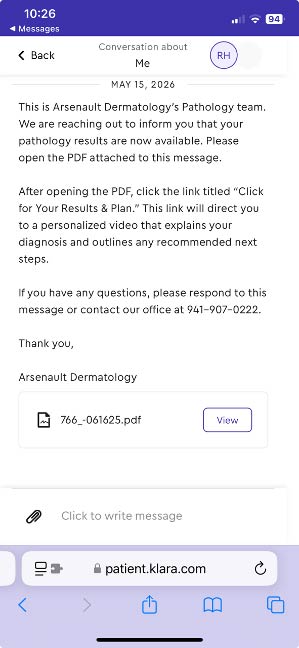
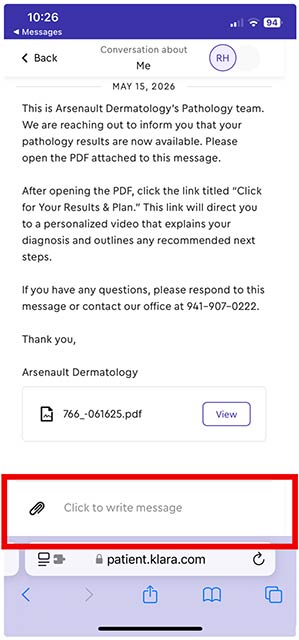
Once your biopsy results are available you will receive a message from the team and the text alert above:
Step 3:
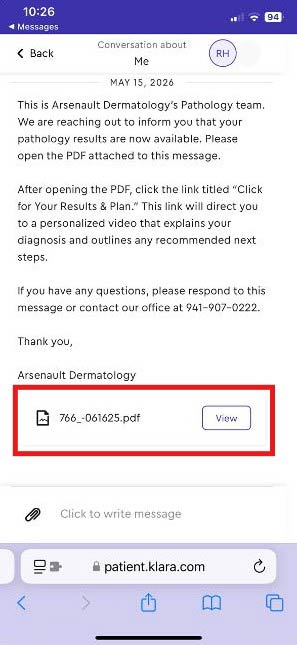
Open and Review the Attached PDF
1. Click or tap View to open the PDF attachment included in the message.
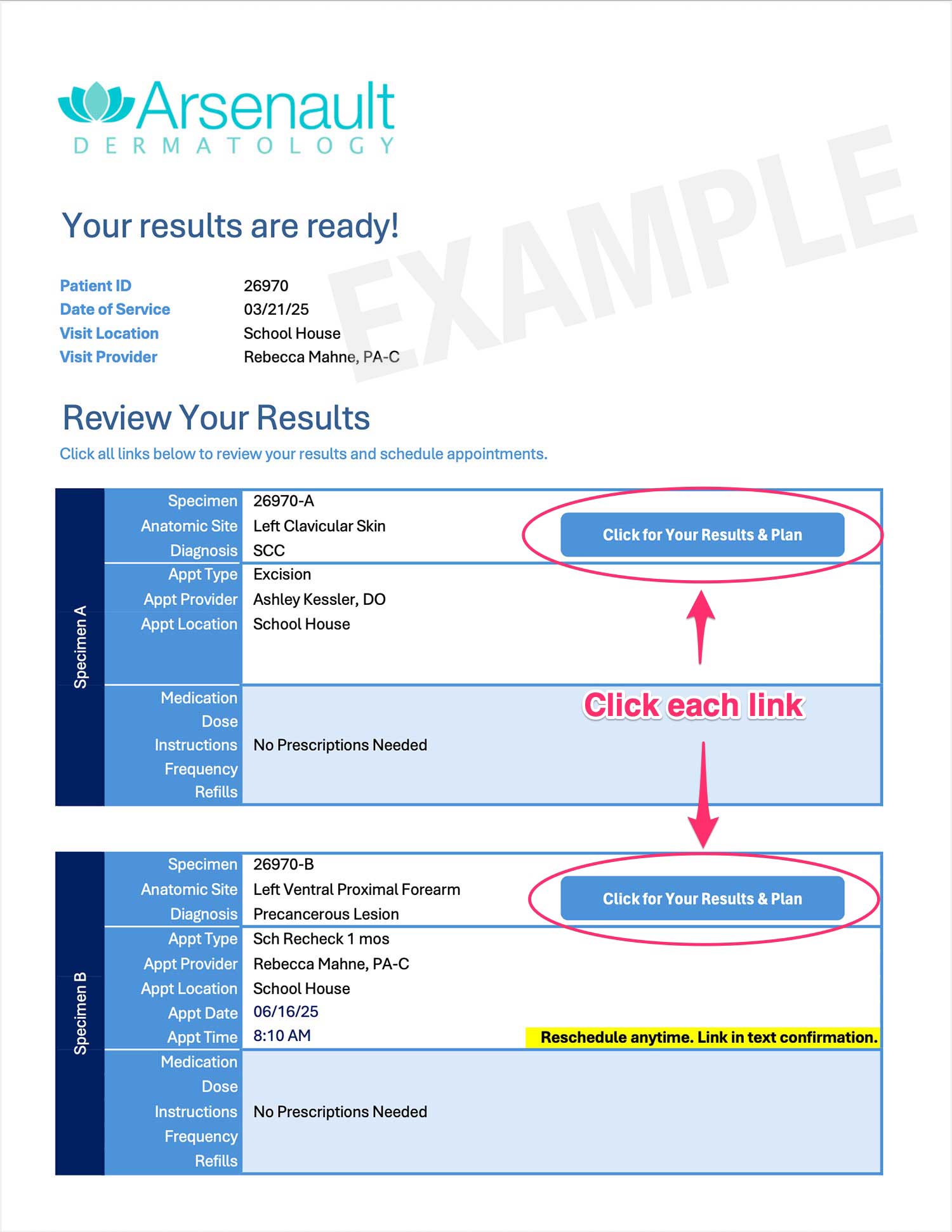
2. The PDF contains embedded links—each corresponding to a specific biopsy site.
3. Click each link to:
View your diagnosis
Read your treatment plan
Access self-scheduling instructions
**If you had multiple biopsy sites, each site will have its own link and must be reviewed individually.
Example Results PDF
Step 4:
Follow the Prompts to Self-Schedule
After reviewing each diagnosis:
Use the link provided in the PDF to self-schedule your excision appointment.
Follow the prompts to select your preferred date and time.
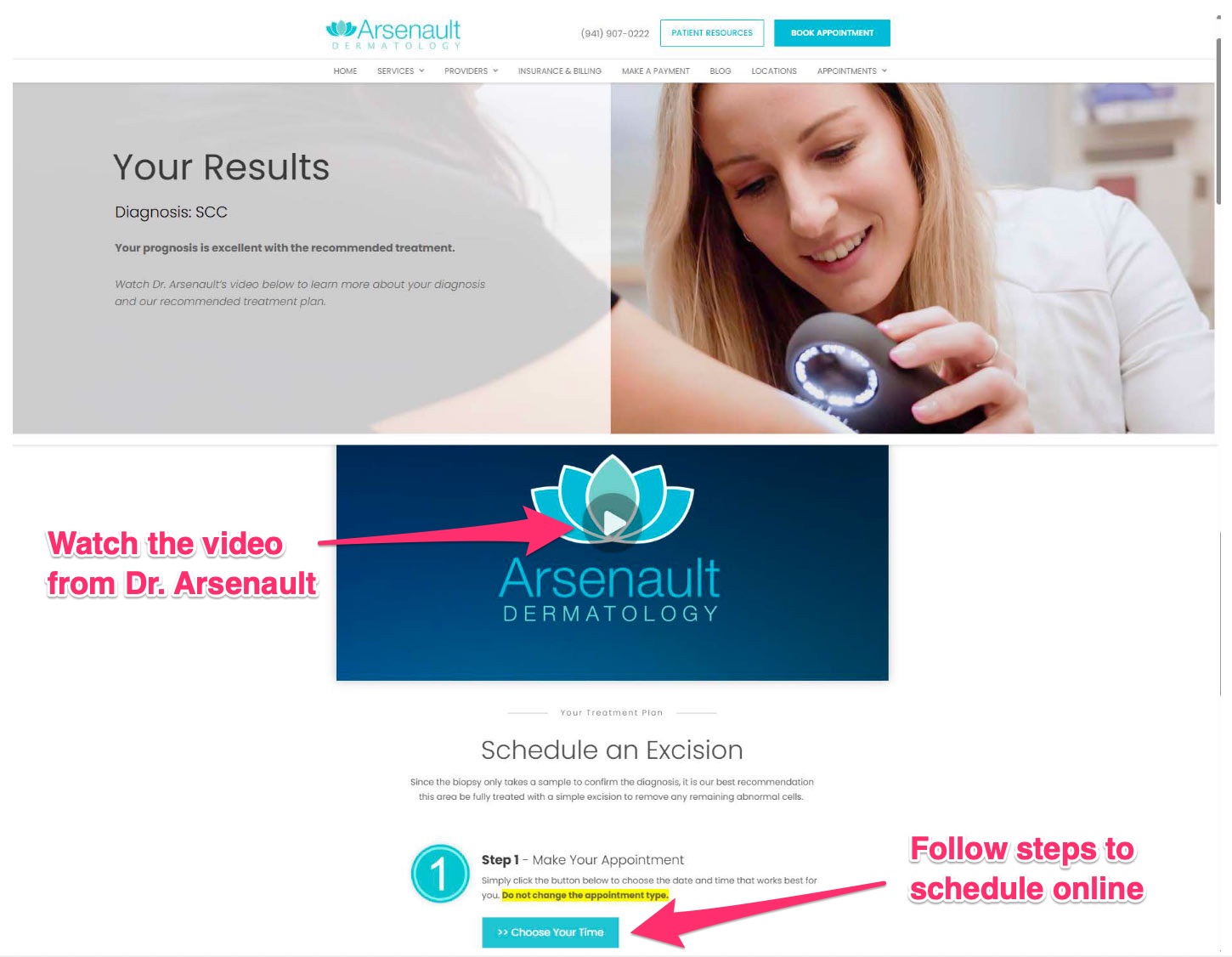
Watch the video from Dr. Arsenault and follow the steps to schedule online
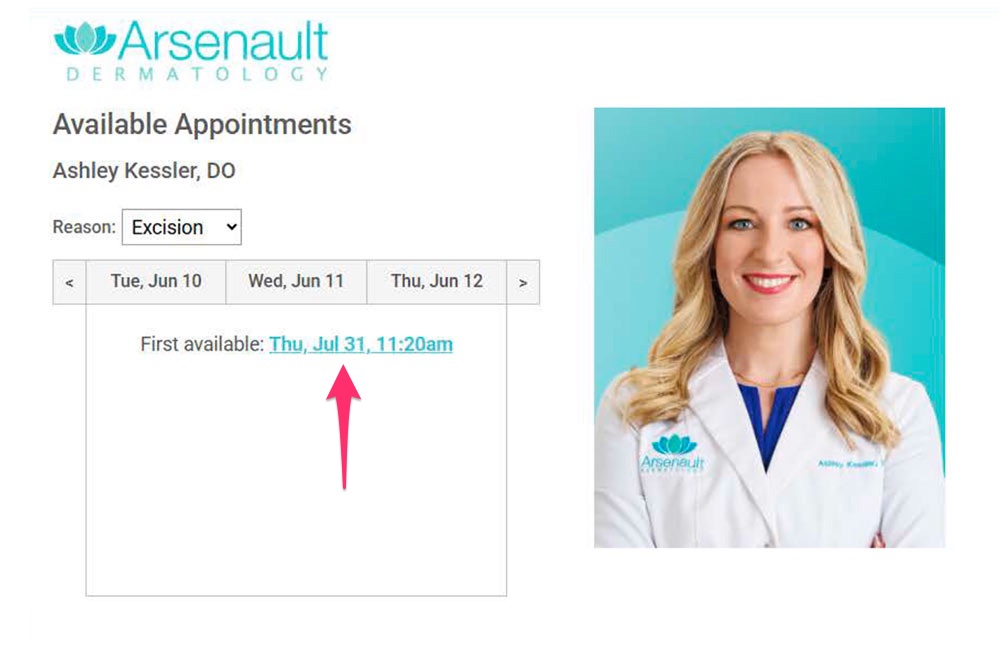
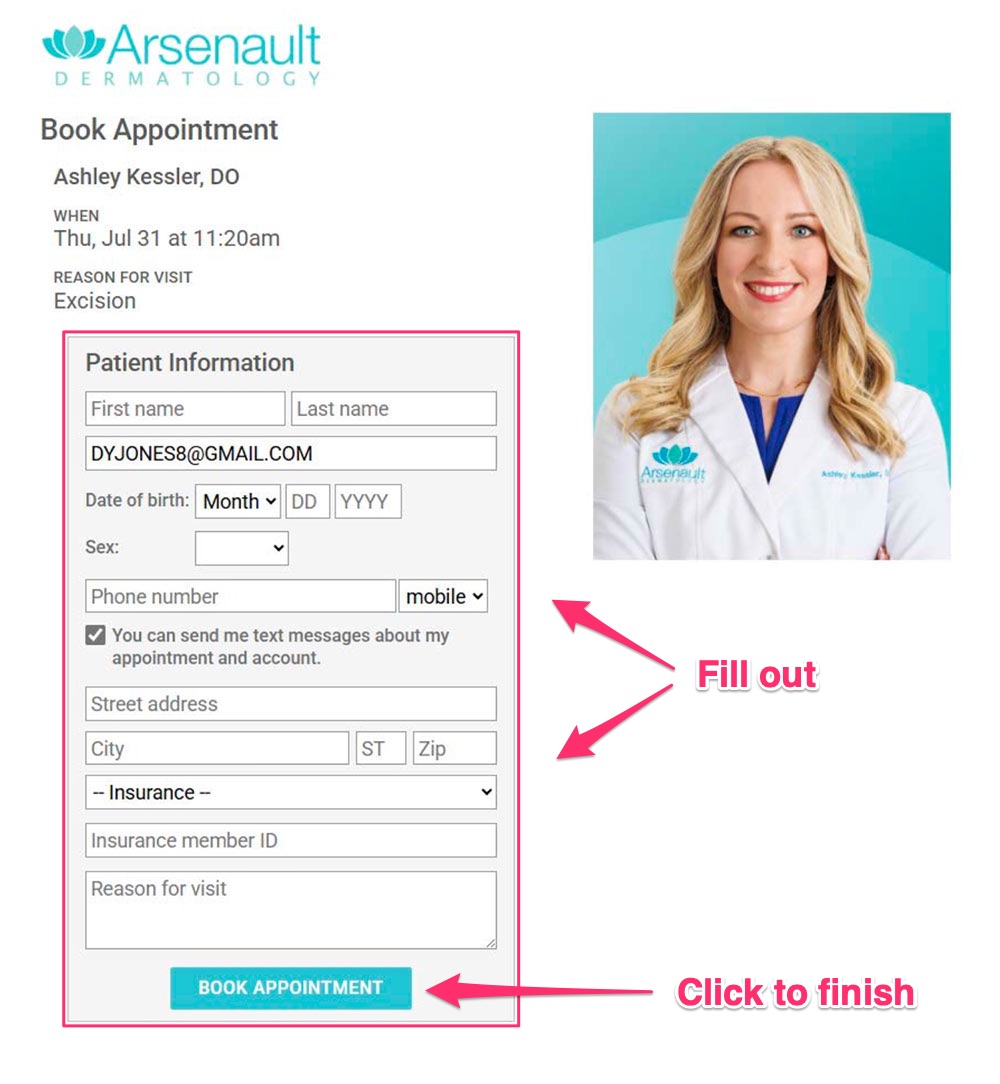
Step 1. Click the first available date
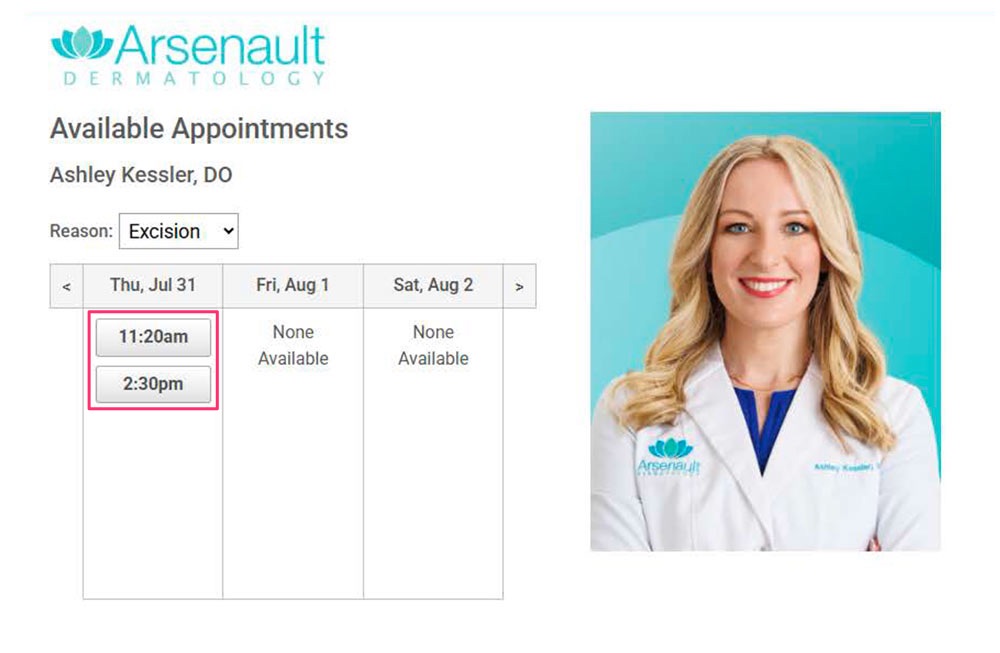
Step 2. Click the desired time
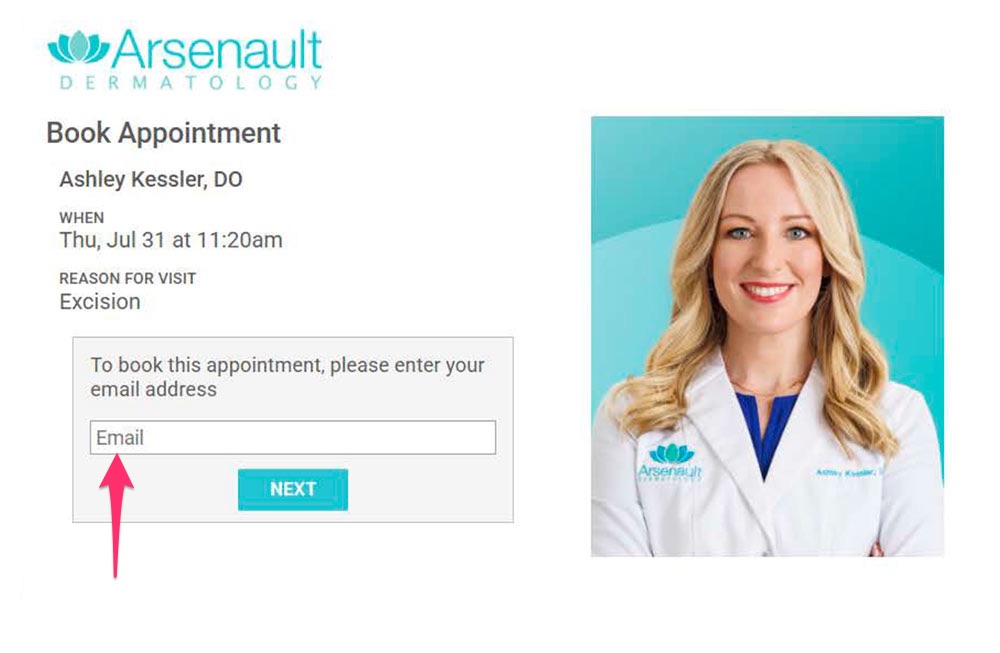
Step 3. Enter Email
Step 4. Fill out information and book time
Step 5:
Need Help or Have Questions?
If you have:
Questions about your results or treatment
Trouble scheduling
Issues not addressed in the message
Reply directly to your Klara message, and a team member will respond to assist you.
We’re Here for You
Thank you for your cooperation and trust in Arsenault Dermatology. We look forward to continuing your care with our new digital communication process.
Stay connected and informed with secure texting in Klara.